---
title: Managing your Profile
description: Managing your Profile
---
[Skip to content](https://help.lumofy.com/migration/managing-your-profile-updated#main-content)
English
Show submenu for translations
![Logo\_Lumofy\_EN\_Main\_Secondary\_Horizontal.svg\]](https://help.lumofy.com/hubfs/Logo_Lumofy_EN_Main_Secondary_Horizontal.svg)
- Home
- Products
- Pricing
- Blog
- Company
Open main navigation
Close main navigation
- Home
- Products
- Pricing
- Blog
- Company
- English
Show submenu for translations
- Go to lumofy.ai
Go to lumofy.ai
Hello. How can we help you?
- There are no suggestions because the search field is empty.
1. [Help Center](https://help.lumofy.com/migration?hsLang=en)
2. [Lumofy For Learners](https://help.lumofy.com/migration/lumofy-for-learners?hsLang=en)
3. [Profile](https://help.lumofy.com/migration/lumofy-for-learners?hsLang=en#profile)
# Managing your Profile
### Managing Your Profile
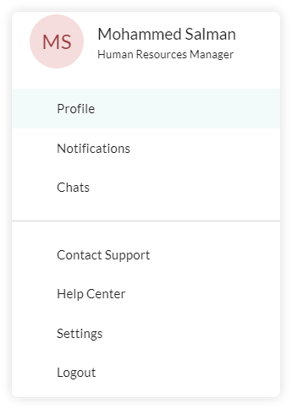
To view or modify your user profile, click on your avatar  in the navigation toolbar. Then, click the **Profile** button.
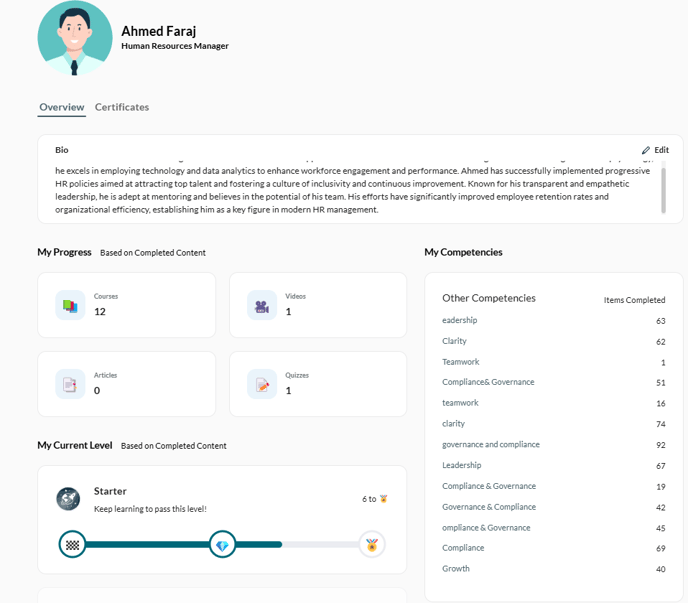
This will display a page that shows all your account information including your:
• **Profile Picture**
**• Name**
**• Job Role**
**• My Progress**
**• My Competencies**
**• My Current Level**
#### 1. My Progress
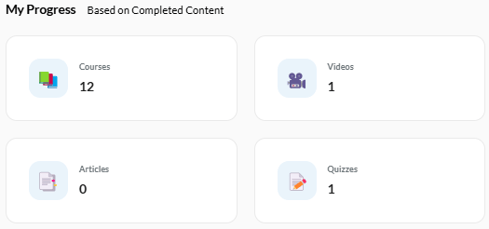
My Progress will provide an overview of the courses, videos, articles, and quizzes you have successfully completed. This will enable you to track your learning journey and stay informed about the knowledge and skills you have acquired.
#### 2. My Competencies
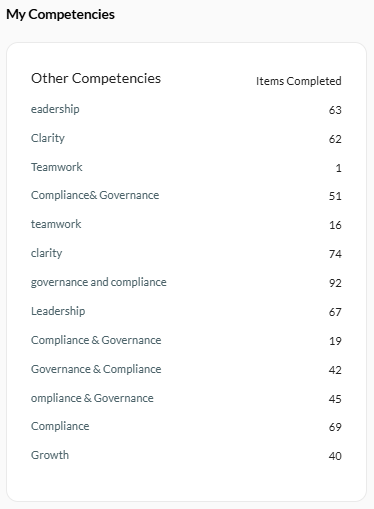
My Competencies will showcase the specific competencies aligned with your job role, accompanied by the corresponding completed learning items related to each competency. This enables you to assess and track your progress in developing essential skills for your position. By gaining insights into how each competency is being nurtured through the completed items, you will have a clear understanding of your professional growth.
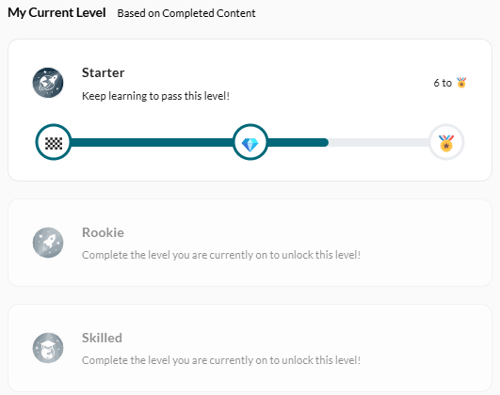
#### 3. My Current Level
My Current Level provides an overview of your progress throughout your learning journey. As you successfully complete each learning item, you will **earn points**🏅 that contribute to your advancement from one stage to another. By gaining points and moving through different stages, you can witness your continuous development and dedication to expanding your knowledge and skills.
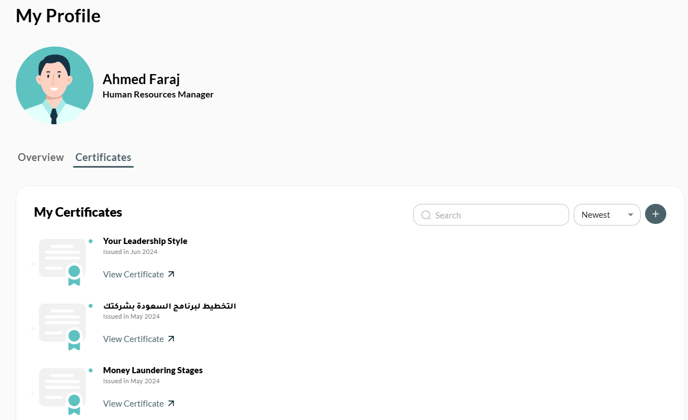
#### 4- Certificates
This page displays all the certificates you have earned after successfully completing an item. Click View Certificate to preview, share, or download your certificate.
**Note:** Only Admins have the option to switch between **Admin** Mode and  **Learner** Mode.
- [Getting Started with Lumofy](https://help.lumofy.com/migration/getting-started-with-lumofy?hsLang=en#main-content)
- [Onboarding On Lumofy](https://help.lumofy.com/migration/getting-started-with-lumofy?hsLang=en#onboarding-on-lumofy)
- [How to get help with Lumofy](https://help.lumofy.com/migration/getting-started-with-lumofy?hsLang=en#how-to-get-help-with-lumofy)
- [Lumofy For Admins](https://help.lumofy.com/migration/lumofy-for-admins?hsLang=en#main-content)
- [Admin Navigation Toolbar](https://help.lumofy.com/migration/lumofy-for-admins?hsLang=en#admin-navigation-toolbar)
- [Insights Dashboard](https://help.lumofy.com/migration/lumofy-for-admins?hsLang=en#insights-dashboard)
- [Admin](https://help.lumofy.com/migration/lumofy-for-admins?hsLang=en#admin)
- [Map](https://help.lumofy.com/migration/lumofy-for-admins?hsLang=en#map)
- [Assess](https://help.lumofy.com/migration/lumofy-for-admins?hsLang=en#assess)
- [Author](https://help.lumofy.com/migration/lumofy-for-admins?hsLang=en#author)
- [Disscussions](https://help.lumofy.com/migration/lumofy-for-admins?hsLang=en#disscussions)
- [Notifications](https://help.lumofy.com/migration/lumofy-for-admins?hsLang=en#notifications)
- [Lumofy For Learners](https://help.lumofy.com/migration/lumofy-for-learners?hsLang=en#main-content)
- [Learner Navigation Toolbar](https://help.lumofy.com/migration/lumofy-for-learners?hsLang=en#learner-navigation-toolbar)
- [Dashboard](https://help.lumofy.com/migration/lumofy-for-learners?hsLang=en#dashboard)
- [Items Library](https://help.lumofy.com/migration/lumofy-for-learners?hsLang=en#items-library)
- [Paths Library](https://help.lumofy.com/migration/lumofy-for-learners?hsLang=en#paths-library)
- [Assessments Library](https://help.lumofy.com/migration/lumofy-for-learners?hsLang=en#assessments-library)
- [Leaderboard](https://help.lumofy.com/migration/lumofy-for-learners?hsLang=en#leaderboard)
- [Discussions](https://help.lumofy.com/migration/lumofy-for-learners?hsLang=en#discussions)
- [Notifications](https://help.lumofy.com/migration/lumofy-for-learners?hsLang=en#notifications)
- [Settings](https://help.lumofy.com/migration/lumofy-for-learners?hsLang=en#settings)
- [Profile](https://help.lumofy.com/migration/lumofy-for-learners?hsLang=en#profile)
- Home
- Products
- Pricing
- Blog
- Company
[](http://www.lumofy.com)
Help Center
Copyright © 2026, Lumofy